


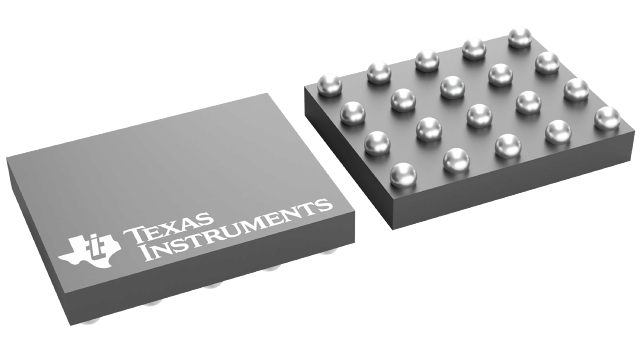
TSU5511YZPR
ObsoleteSP3T SWITCH WITH IMPEDANCE DETECTION MICRO-USB SWITCH
Deep-Dive with AI
Search across all available documentation for this part.
TSU5511YZPR
ObsoleteSP3T SWITCH WITH IMPEDANCE DETECTION MICRO-USB SWITCH
Deep-Dive with AI
Technical Specifications
Parameters and characteristics for this part
| Specification | TSU5511YZPR |
|---|---|
| Applications | USB, Audio, UART |
| Features | I2C, Depop, USB 2.0 |
| Mounting Type | Surface Mount |
| Number of Channels [custom] | 1 |
| Operating Temperature [Max] | 85 C |
| Operating Temperature [Min] | -40 ¯C |
| Supplier Device Package | 20-DSBGA |
| Switch Circuit | SP3T |
| Voltage - Supply, Single (V+) [Max] | 6.7 V, 4.4 V |
| Voltage - Supply, Single (V+) [Min] | 2.8 V, 4.35 V |
Pricing
Prices provided here are for design reference only. For realtime values and availability, please visit the distributors directly
| Distributor | Package | Quantity | $ | |
|---|---|---|---|---|
| Digikey | N/A | 0 | $ 0.00 | |
| 56350 | $ 0.00 | |||
| Texas Instruments | LARGE T&R | 1 | $ 1.47 | |
| 100 | $ 1.22 | |||
| 250 | $ 0.87 | |||
| 1000 | $ 0.66 | |||
Description
General part information
TSU5511 Series
The TSU5511 is designed to interface the cell phone UART, USB, and audio chips with external peripherals via a micro-USB connector. The switch features impedance detection for identification of various accessories that are attached through DP and DM of the micro-USB port. When an accessory is plugged into the micro-USB port, the switch uses a detection mechanism to identify the accessory (see State Machine for details). It will then switch to the appropriate channel—data, audio, or UART.
The TSU5511 has an I2C interface for communication with the cellphone baseband or applications processor. An interrupt is generated when anything plugged into the micro-USB is detected. Another interrupt is generated when the device is unplugged.
The TSU5511 is designed to interface the cell phone UART, USB, and audio chips with external peripherals via a micro-USB connector. The switch features impedance detection for identification of various accessories that are attached through DP and DM of the micro-USB port. When an accessory is plugged into the micro-USB port, the switch uses a detection mechanism to identify the accessory (see State Machine for details). It will then switch to the appropriate channel—data, audio, or UART.
Documents
Technical documentation and resources