

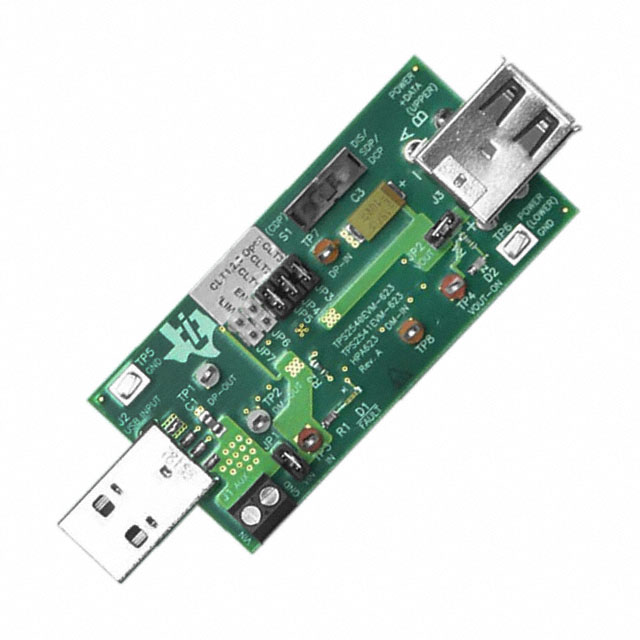
TPS2540EVM-623
ActiveEVAL MODULE FOR TPS2540-623
Deep-Dive with AI
Search across all available documentation for this part.
TPS2540EVM-623
ActiveEVAL MODULE FOR TPS2540-623
Deep-Dive with AI
Technical Specifications
Parameters and characteristics for this part
| Specification | TPS2540EVM-623 |
|---|---|
| Function | Power Distribution Switch (Load Switch) |
| Supplied Contents | Board(s) |
| Type | Power Management |
| Utilized IC / Part | TPS2540 |
Pricing
Prices provided here are for design reference only. For realtime values and availability, please visit the distributors directly
| Distributor | Package | Quantity | $ | |
|---|---|---|---|---|
| Digikey | Box | 1 | $ 58.80 | |
Description
General part information
TPS2540A Series
The TPS2540/40A and TPS2541/41A are a combination of current-limited USB port power switch with a USB 2.0 high-speed data line (D+/D-) switch and a USB charging port identification circuit. Applications include notebook PCs and other intelligent USB host devices. The wide bandwidth (2.6 GHz) data-line switch also features low capacitance and low on resistance, allowing signals to pass with minimum edge and phase distortion. The TPS2540/40A/41/41A monitors D+ and D-, providing the correct hand-shaking protocol with compliant client devices.
The TPS2540/40A/41/41A supports the following charging logic schemes:
CTL1-CTL3 logic inputs are used to select one of the various charge modes provided by the TPS2540/40A and TPS2541/41A . These charge modes allow the host device to actively select between Dedicated Charging Port (DCP) (wall-adapter emulation), Charging Downstream Port (CDP) (active USB 2.0 data communications with 1.5-A support), or Standard Downstream Port (SDP) USB 2.0 Mode (active USB 2.0 data communications with 500-mA support). The TPS2540/40A/41/41A also integrates anauto-detectfeature that supports both DCP schemes for Battery Charging Specification (BC1.2) and the Divider Mode without the need for outside user interaction.
Documents
Technical documentation and resources